
Taxable base, VAT and gross price
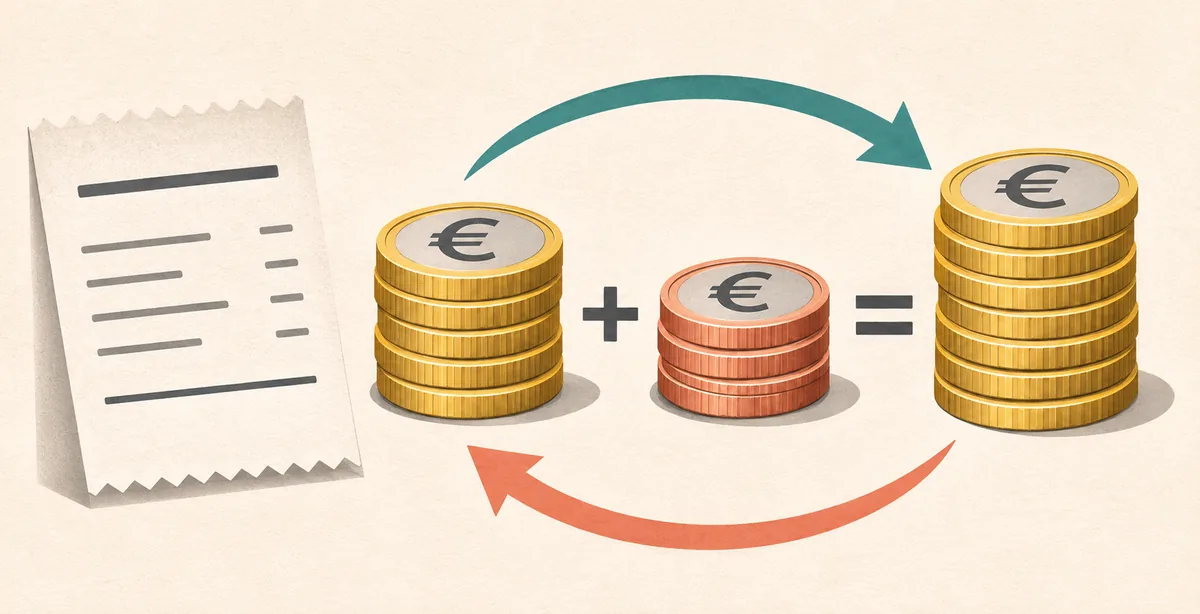
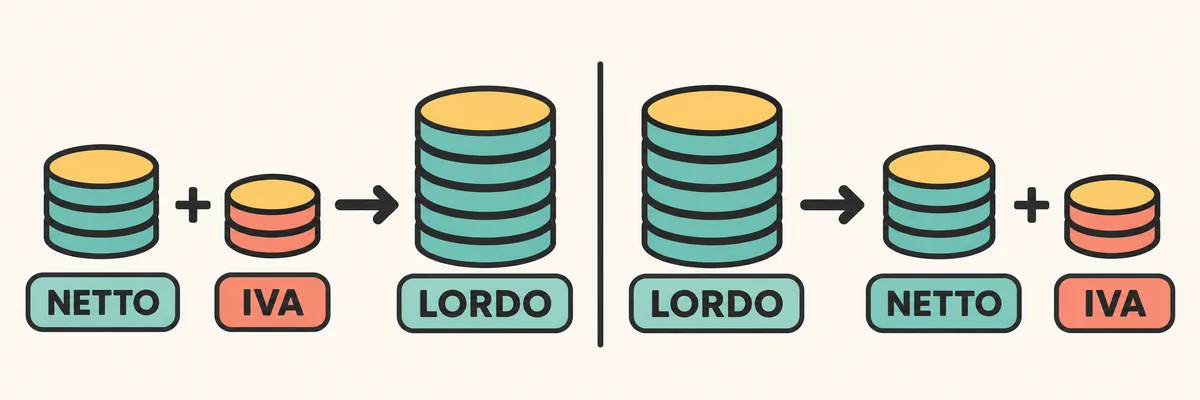
The taxable base, or net amount, is the value on which tax is calculated. The rate is the percentage that applies to a particular transaction. VAT is the amount produced by applying that rate to the base; the gross total combines the base and the tax.
For example, if a service has a net price of €250 and 22% is used only as an arithmetic example, VAT is €55 and the gross total is €305. A price marked VAT included is gross; a price marked VAT excluded or taxable amount is net. Check which value you have before choosing a formula.
How to add VAT to a net price
When a price is net, first calculate the tax share and then add it to the base. Net × rate / 100 gives the VAT amount; net + VAT gives the gross price. You can also multiply the net amount directly by the factor 1 + rate / 100.
For a net amount of €80 and an illustrative 22% rate, €80 × 0.22 = €17.60 VAT. The total is €80 + €17.60 = €97.60, which is the same as €80 × 1.22. At 10%, the factor is 1.10; at 5%, it is 1.05.
This answers “what is the total after VAT is added?” It does not determine which rate applies: that depends on the product or service, the parties and the circumstances of the transaction.
VAT = €80 × 22 / 100 = €17.60 · Gross = €80 + €17.60 = €97.60Arithmetic example using 22%; it does not classify a product for tax purposes.
- Start with the netConfirm that the value is the taxable base and note the currency.
- Apply the rateMultiply the net amount by the rate divided by 100.
- Add the taxAdd VAT to the net amount and check the sum.
How to remove VAT from a gross price
Removing VAT, often called reverse calculation, is useful when you know the tax-inclusive total and need to separate the net amount and tax. Because the gross price already contains the net plus its tax share, divide by the rate factor instead of subtracting the same percentage from the total.
With a gross amount of €122 and a 22% example rate, the factor is 1.22. So €122 / 1.22 = €100 net. The included VAT is the difference: €122 − €100 = €22. Check the result by calculating €100 × 1.22 = €122.
The rate is applied to the net base, not to the gross total. Subtracting 22% from €122 would give €95.16, which does not recover the base used in this example.
Net = €122 / 1.22 = €100.00 · VAT = €122.00 − €100.00 = €22.00After the calculation, check that net plus tax returns to the original gross total, allowing for rounding.
- Read the rateConvert it to a factor: for example, 22% becomes 1.22.
- Divide the grossThe tax-inclusive amount divided by the factor gives the taxable base.
- Find the taxSubtract the net amount from the gross and check that they add back to the total.
VAT rates and reference factors
For an arithmetic check, each rate becomes a multiplier when tax is added and a divisor when it is removed. For instance, 10% becomes a factor of 1.10 and 4% becomes 1.04.
The Italian VAT system includes rates such as 22%, 10%, 5% and 4%. This table is a mathematical reference for a rate that has already been correctly identified; it does not list which goods or services qualify for each rate.
| Example rate | Multiplier to add | Divisor to remove |
|---|---|---|
| 22% | 1.22 | 1.22 |
| 10% | 1.10 | 1.10 |
| 5% | 1.05 | 1.05 |
| 4% | 1.04 | 1.04 |
Reduced rates, exemptions and other treatments
A reduced rate is not a discount, and it cannot be assigned from a product's marketing description alone. Italian VAT treatment depends on specific legal categories and conditions. A similar product example found online is not enough to establish that the same rate applies.
Also distinguish a taxable transaction from an exempt, non-taxable or out-of-scope one. These are different classifications and may require different documentation; they are not handled by simply entering 0% into the formula. Reverse charge changes who accounts for the tax, not the ordinary arithmetic formula.
For a real sale or purchase in Italy, check the applicable entry in Table A attached to Presidential Decree 633/1972 and current Revenue Agency guidance. For cross-border, preferential or otherwise complex cases, ask a qualified tax professional.
Check the taxable base and tax on an invoice
When reviewing a line item, compare quantity, unit price, discounts, taxable base and the rate shown. Then check that the VAT amount matches the base and that the line total is consistent. If an invoice has multiple rates, check each base separately instead of applying one rate to the document total.
Start with the taxable line, recalculate the tax and add the total. If the document shows a nature code or special wording, do not reinterpret it as a standard rate: verify the stated treatment and the current instructions used by the invoicing system or tax authority.
- Group the linesSeparate amounts with different rates or tax treatments.
- Check the baseReview quantities, prices, discounts and the taxable amount first.
- Recalculate the taxUse the displayed rate only after checking that it applies.
- Reconcile the totalCompare the base, tax and other components with the document.
Rounding and one-cent differences
A percentage calculation can produce more than two decimal places. Check whether the system rounds each line or the combined base: the order can change the final result by a cent.
Keep precision during intermediate steps and round according to the document's method. If a small difference remains, check the bases, rates and discounts before changing an amount.
- Avoid repeated rounding during intermediate steps.
- Check the separate bases and how each line is calculated.
VAT formulas in Excel and Google Sheets
Put the net amount in B2 and the numeric rate in C2, for example 22. The formula `=B2*C2/100` calculates the VAT; `=B2+B2*C2/100` returns the gross total. As a single operation, `=B2*(1+C2/100)` gives the same total.
To remove VAT, enter the gross amount in B2 and the rate in C2: `=B2/(1+C2/100)` returns the net. To calculate only the tax included in the gross amount, use `=B2-B2/(1+C2/100)`. Format the result cells as currency or as numbers with two decimals.
Label each column clearly. Avoid applying the percentage format twice: if C2 contains 22, divide by 100 as shown; if it contains 22%, adapt the formula to the cell's percentage format.
Add: =B2*(1+C2/100) · Remove: =B2/(1+C2/100)These examples assume C2 contains 22, 10, 5 or 4 as a number, not a value already formatted as a percentage.
Common mistakes in VAT calculation
When removing VAT, do not subtract the rate from the gross total; divide by the factor to recover the net base. Also separate invoice lines with different treatments and check whether the starting price is net or gross.
VAT and a discount are different. A discount changes the commercial price under the sale terms; tax is calculated on the taxable base under the applicable treatment. When comparing offers, make sure both amounts are net or both are gross.
- Check the starting amount and the treatment before calculating.
Frequently asked questions about VAT calculation
How do I calculate VAT to add to an amount?
Multiply the taxable base by the rate divided by 100. Add the resulting VAT to the base to get the gross total.
How do I remove VAT from a gross price?
Divide the gross amount by 1 plus the rate divided by 100. The difference between gross and net is the included tax.
Why can't I just subtract 22% from the gross total?
The 22% is calculated on the taxable base, not on the gross amount. Divide by 1.22 to recover the base in that example.
Do the 4%, 5%, 10% and 22% rates apply to every product?
No. Rates depend on legal categories and conditions. The table shows arithmetic factors and does not determine the treatment of a particular product or service.
How can I check VAT on an invoice?
Check the taxable base, displayed rate or treatment, tax amount and any additional components. If several rates appear, verify each group of lines separately.
References checked
The arithmetic formulas are general. Tax treatment depends on the transaction, its location and the applicable rules.
- Italian Revenue Agency: general VAT rules and rates — Official reference for the general framework and tax treatments; the page consulted states an update date of 12 December 2020.
- Fiscozen: VAT calculation on an invoice — Secondary guide checked and marked updated in August 2026; use it for context and verify the applicable treatment against current rules.